

1
More, then Livestock
The Livestock page lists the farm’s herds with where each one is and since when. A farm with none starts with Add a herd: the type from the categories the nitrate rules use, the name and the head.
2
Move on the herd's row
Move on a herd’s row lists the fields and Housed. Pick one. The move is dated now; a note is optional.
3
Or from the + sheet
The + sheet’s Herd move kind does the same from any tab, with the field chips.
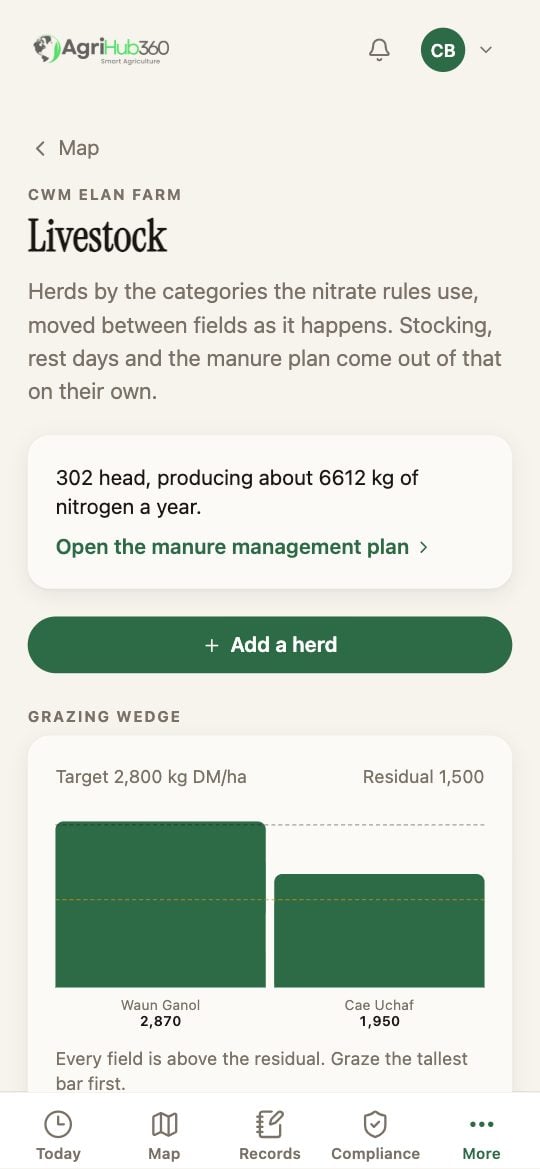
Livestock, under More. Whitaker Farm has no herds yet, so the page shows the button first.
What You See Next
The herd’s row says the field and the days since. The field’s row on the Map says the herd and since when, and the Map’s herd layer draws it at the field’s centre. The move is a row on Records. The manure plan’s loading, storage and where-it-can-go sections recompute from the herds and their days on the holding: see Livestock and the Manure Plan.If It Does Not
Related: Read the Grazing Wedge, Open the Manure Plan, Livestock and the Manure Plan.