

1
Press + and choose the kind
The + button sits on every tab. Fertiliser or other is for P, K, lime, irrigation and foliar feeds. Nitrogen (NVZ) is for anything with nitrogen in it, manufactured or manure: that one lands on the NVZ record.
2
The field, the product, the rate
Pick the field chip. Type the product. For nitrogen, choose Manufactured or Slurry or manure, then the rate in kg N/ha; the sheet works out the total from the field’s area.
3
A photo, then Save
Tap Add a photo and take one of the bag or the load, then Save record. With no signal it is kept on the phone and sent later.
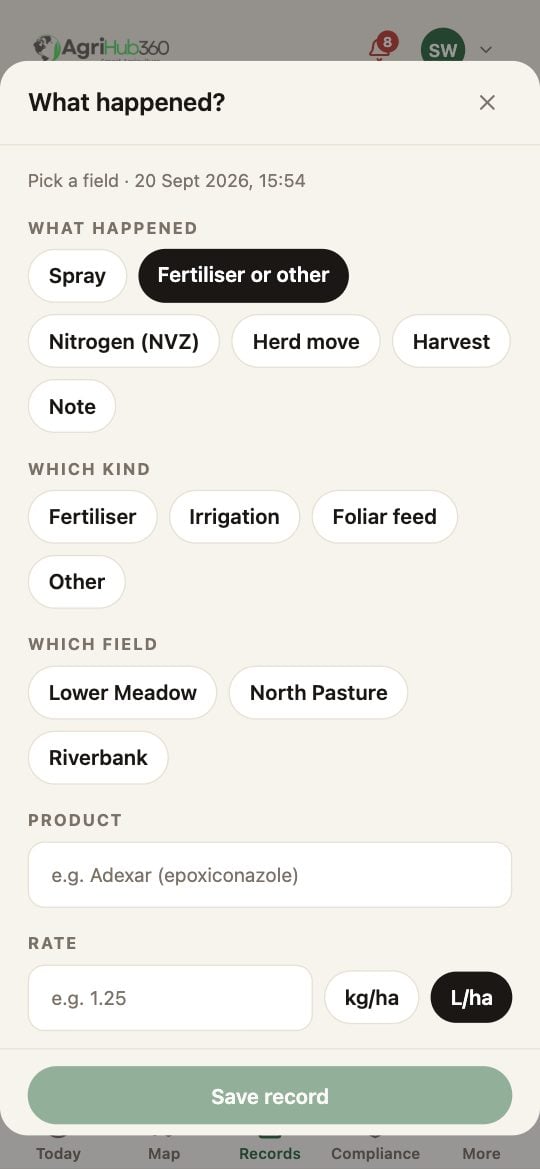
The + sheet on Fertiliser or other: the kind, the field and the rate.
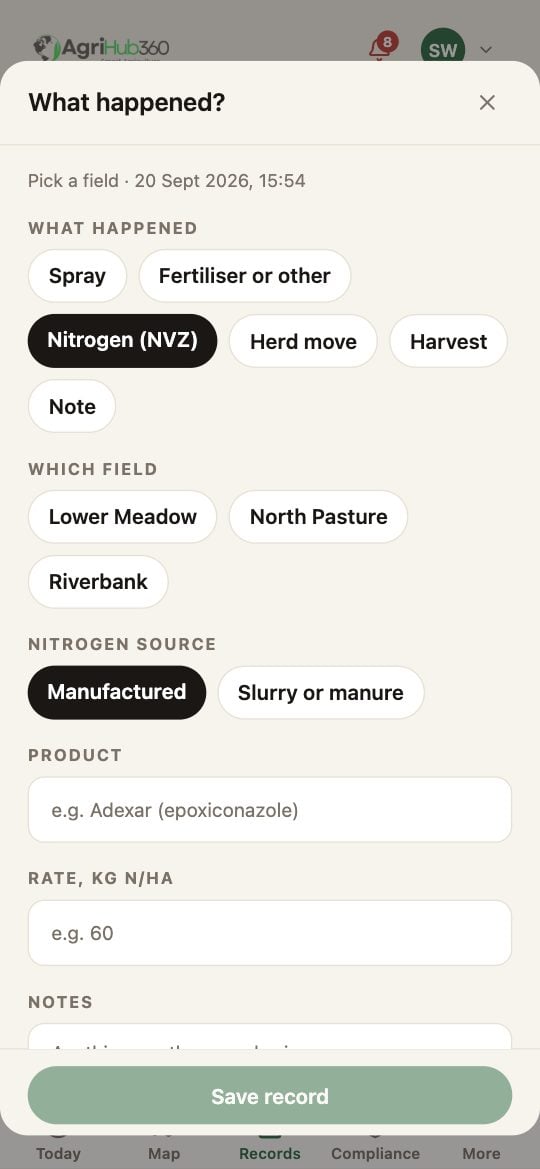
The + sheet on Nitrogen (NVZ): manufactured or manure, and kg N/ha.
What You See Next
The entry is a row on the Records tab and a line on the field’s nitrogen log, counted against the crop’s N-max. A manure entry carries its readily available nitrogen for the closed-period rules.If It Does Not
Related: Log a Spray, Fill In the NVZ Record, NVZ Nitrogen Records.