

1
Open the field, then Alerts
The page lists the triggers on the field, how often each has fired, and the events. Tap Add an alert.
2
What to watch
The choices are the forecasts (Frost, Heat, Heavy rain, High wind, Pest pressure), Sensor reading crosses a threshold and A device goes offline. Pick one, then set the line it crosses: a threshold for a reading, or a temperature for frost.
3
What to do
Alert only sends a push. Auto-action via webhook calls a URL you give, for a pump or a vent. Save. Test fire on the trigger sends one now so you can see it arrive.
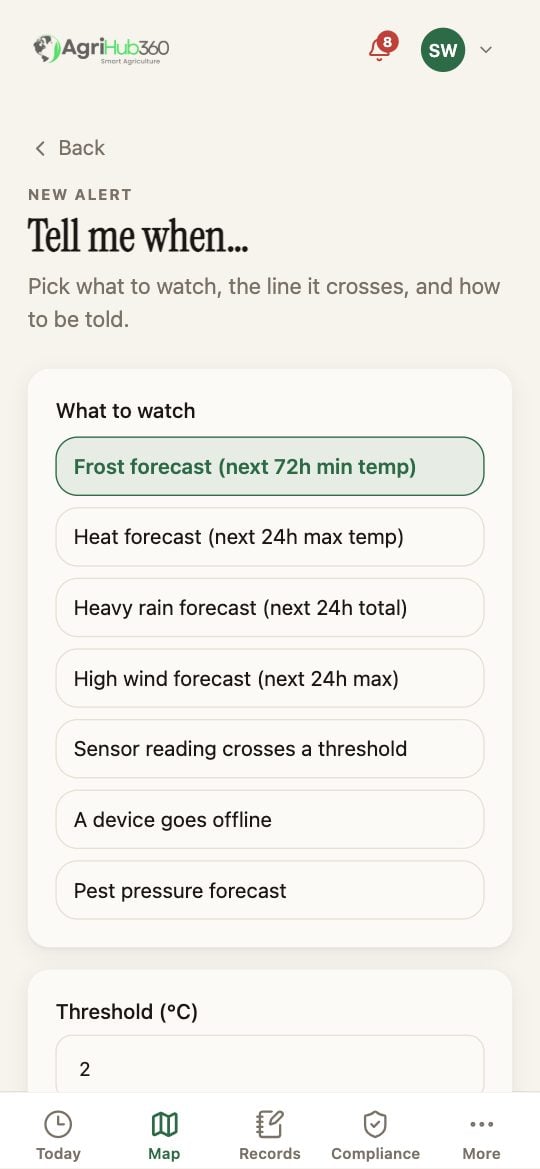
Tell me when: what to watch and the threshold.
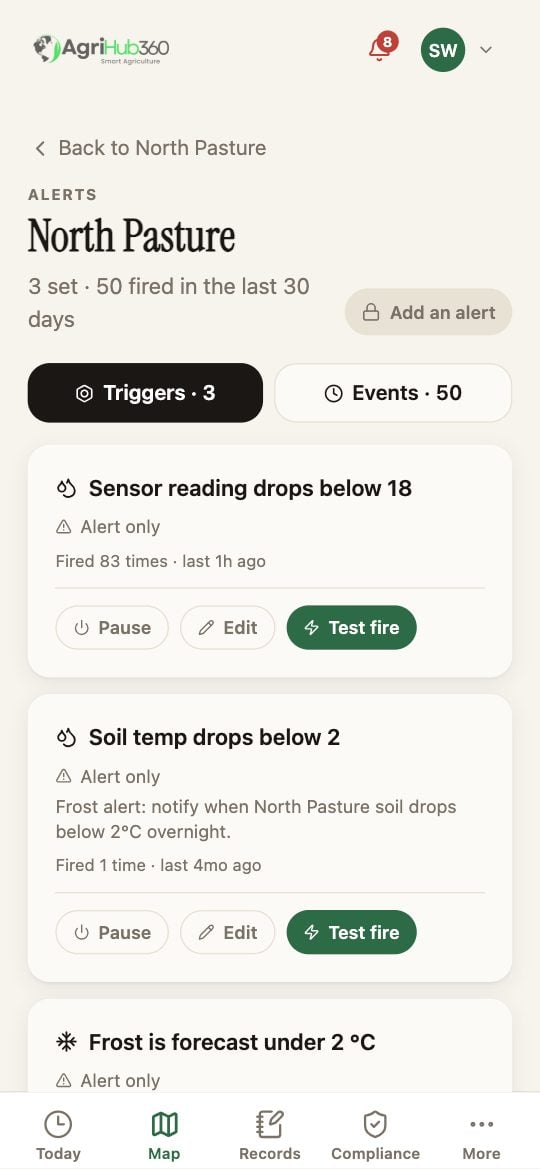
The field's alerts: three set, fifty fired, with Pause, Edit and Test fire.
What You See Next
A trigger that fires is a decision on Today under Reading, with the value and the line it crossed. Pause keeps it without firing.If It Does Not
Related: Custom Triggers, Webhooks.