

1
Read the card on the Sensors tab
A device that has gone silent gets a card above the list, with the step to take. The gateway’s card says how many sensors are behind it.
2
The gateway first
Hold its button for five seconds to restart it. A light that stays red is the SIM or the power. A gateway that comes back brings its sensors with it.
3
Then the sensor
Check the battery, then the antenna seat, then how far the field is from the gateway. A probe that has come out of the ground reads a constant value; reseat it.
What You See Next
The card goes when the device reports. The device’s page keeps the last reading and the last time it was seen.If It Does Not
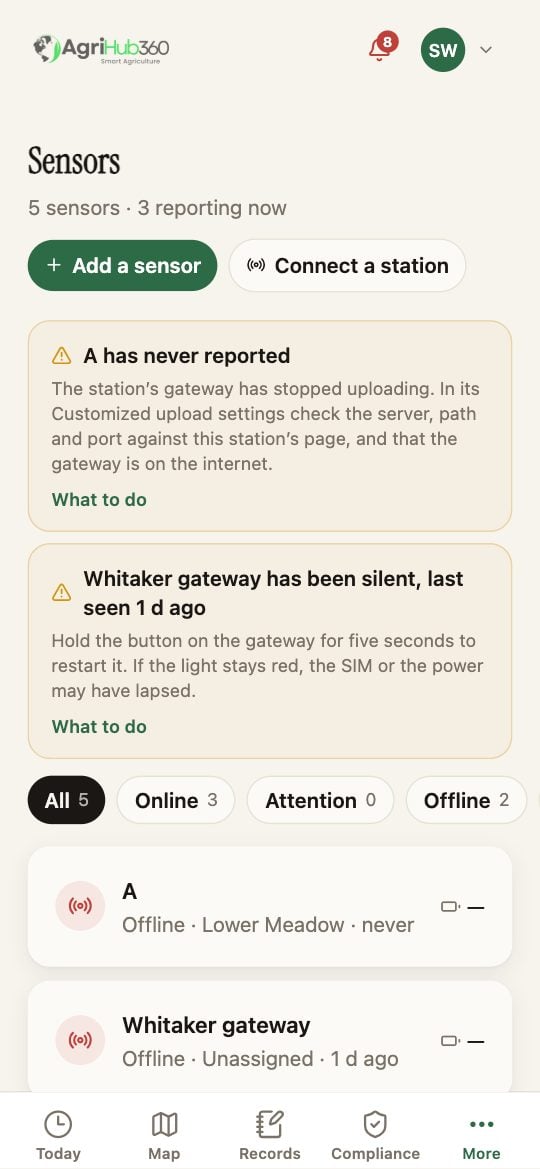
A silent gateway is one card; the rows under it carry the last reading of each sensor.