

1
Read the checklist first
The Compliance tab opens on the inspection-ready checklist. Each item is a tap from where it is fixed. What is missing here prints as missing on the pack’s cover, so fix what you can before you build.
2
Build the pack
Under the checklist, the pack card shows its cover. Build the 2026 pack downloads a zip: the cover, then each document in the layout its regime uses, then the machine-readable files. On the free plan the same button opens a preview of every page, watermarked, with the price to unlock.
3
Share it
Share link for an inspector or agronomist makes a link that downloads the real pack. It needs no account and stops working after the days you set, 14 by default and 90 at most. Send it however you send things.
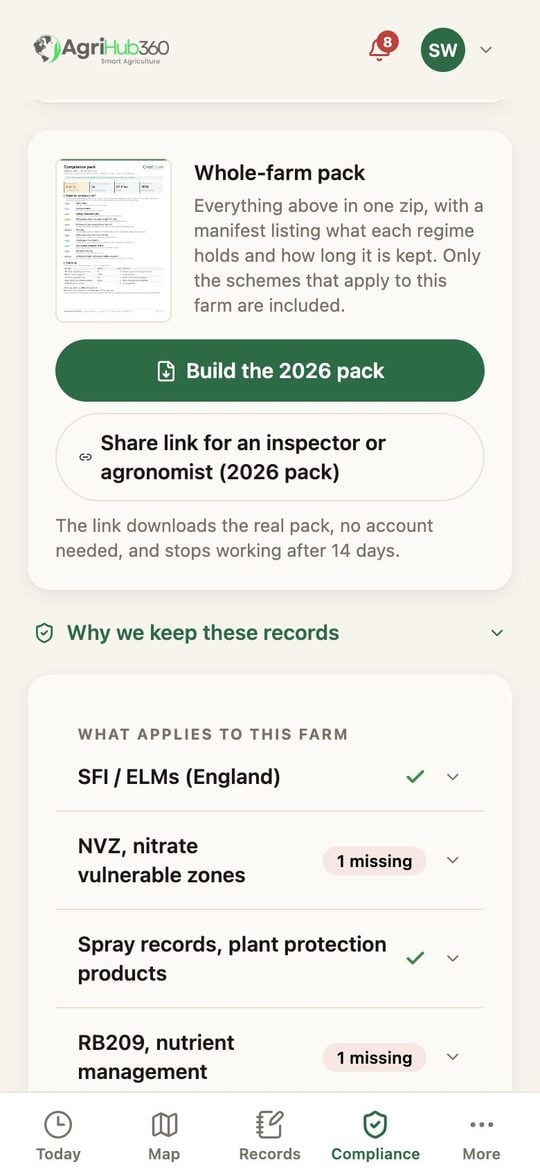
The pack card, under the checklist on the Compliance tab.
What You See Next
The link downloads the pack as it was on the day you built it; a pack built later is a new pack and a new link. The inspector’s side of it is on For Inspectors and Assessors. What each document holds is on One Compliance Vault.If It Does Not
Related: Read the Inspection List and Fix a Line, Choose a Plan, Reading the Pack.