> ## Documentation Index
> Fetch the complete documentation index at: https://docs.agrihub360.com/llms.txt
> Use this file to discover all available pages before exploring further.
# Tick a Decision
> Mark a decision on Today as done for the week. The tick carries your name.
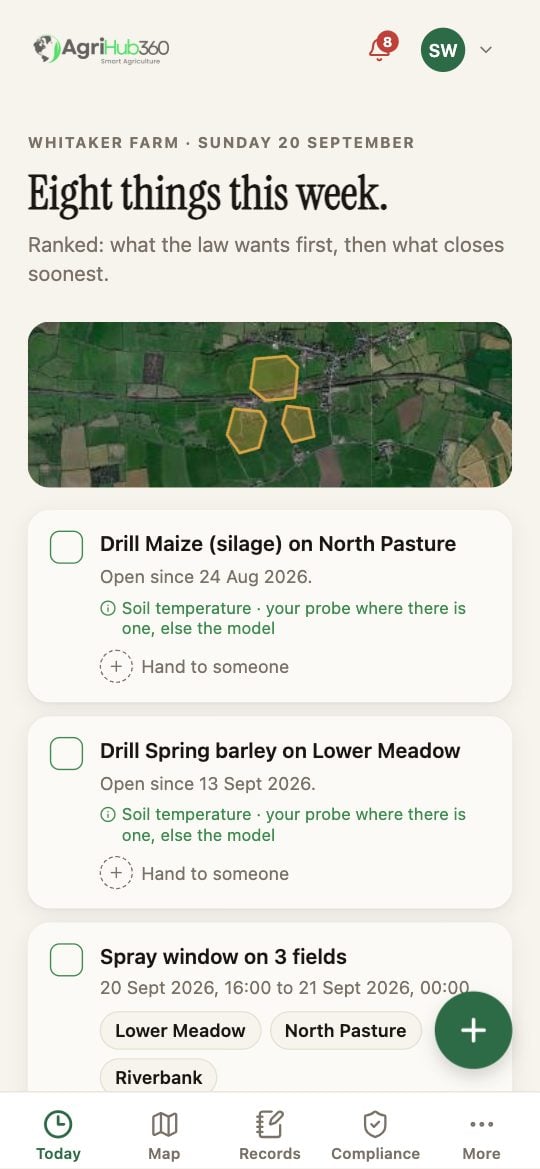
Tap the box on the left of the decision. It fills in, the line goes grey, and the row says who ticked it and when.
A second tap clears it. Nothing else changes.
A tick lasts for the week. If the rule fires again, the decision returns with an empty box.
 ## What You See Next
On a farm with more than one person the row reads "Ticked by Rhys, 2 h ago". The tick is kept in the farm's record with the name and the time.
## If It Does Not
| You see | It means | Do |
| ---------------------- | -------------------- | ---------------------------------------------------- |
| The tick does not fill | No signal | It is queued and sends when the phone is back online |
| The line came back | The rule fired again | Read the date; it is a new week or a new field |
Related: [See the Week's Decisions](/how-do-i/today/see-the-weeks-decisions), [Hand a Decision to Someone](/how-do-i/today/hand-a-decision-to-someone).
## What You See Next
On a farm with more than one person the row reads "Ticked by Rhys, 2 h ago". The tick is kept in the farm's record with the name and the time.
## If It Does Not
| You see | It means | Do |
| ---------------------- | -------------------- | ---------------------------------------------------- |
| The tick does not fill | No signal | It is queued and sends when the phone is back online |
| The line came back | The rule fired again | Read the date; it is a new week or a new field |
Related: [See the Week's Decisions](/how-do-i/today/see-the-weeks-decisions), [Hand a Decision to Someone](/how-do-i/today/hand-a-decision-to-someone).