> ## Documentation Index
> Fetch the complete documentation index at: https://docs.agrihub360.com/llms.txt
> Use this file to discover all available pages before exploring further.
# Set a Trigger
> Get a push when a reading crosses a line, a sensor goes quiet or frost is in the forecast, and call a webhook if you want one.
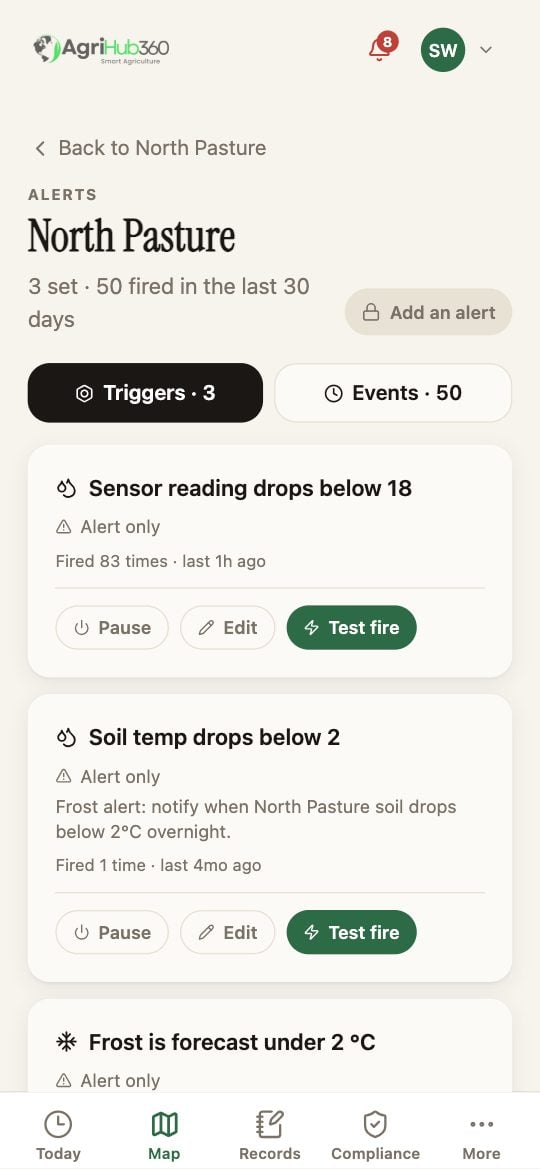
The page lists the triggers on the field, how often each has fired, and the events. Tap **Add an alert**.
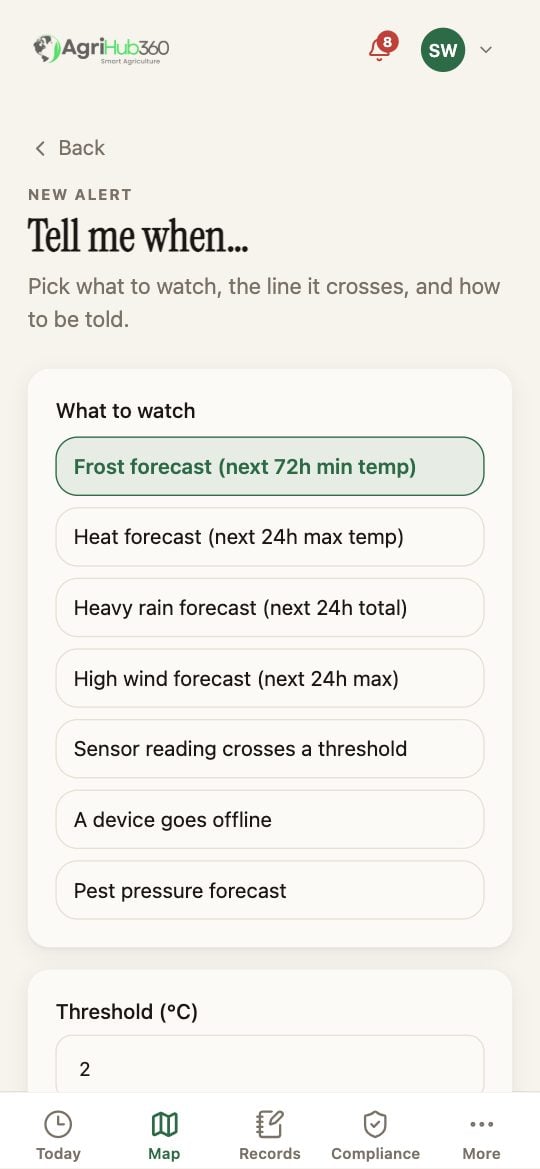
The choices are the forecasts (**Frost**, **Heat**, **Heavy rain**, **High wind**, **Pest pressure**), **Sensor reading crosses a threshold** and **A device goes offline**. Pick one, then set the line it crosses: a threshold for a reading, or a temperature for frost.
**Alert only** sends a push. **Auto-action via webhook** calls a URL you give, for a pump or a vent. Save. **Test fire** on the trigger sends one now so you can see it arrive.
 ## What You See Next
A trigger that fires is a decision on Today under **Reading**, with the value and the line it crossed. **Pause** keeps it without firing.
## If It Does Not
| You see | It means | Do |
| ---------------------------- | ---------------------------- | --------------------------------------------------- |
| Automation is a paid feature | Webhooks are on Grower | Alert only works on Free |
| It fires every hour | The reading sits on the line | Move the threshold, or pause it |
| The webhook fails | The URL refused it | The event shows the HTTP status; check the receiver |
Related: [Custom Triggers](/features/decision-windows/custom-triggers), [Webhooks](/devices/webhooks).
## What You See Next
A trigger that fires is a decision on Today under **Reading**, with the value and the line it crossed. **Pause** keeps it without firing.
## If It Does Not
| You see | It means | Do |
| ---------------------------- | ---------------------------- | --------------------------------------------------- |
| Automation is a paid feature | Webhooks are on Grower | Alert only works on Free |
| It fires every hour | The reading sits on the line | Move the threshold, or pause it |
| The webhook fails | The URL refused it | The event shows the HTTP status; check the receiver |
Related: [Custom Triggers](/features/decision-windows/custom-triggers), [Webhooks](/devices/webhooks).