> ## Documentation Index
> Fetch the complete documentation index at: https://docs.agrihub360.com/llms.txt
> Use this file to discover all available pages before exploring further.
# Write a Record with No Signal
> With no signal the record is kept on the phone and sent when you are back in range. Nothing changes for you.
Press **+**, fill in the sheet, **Save record**. The toast reads **Saved, will send**.
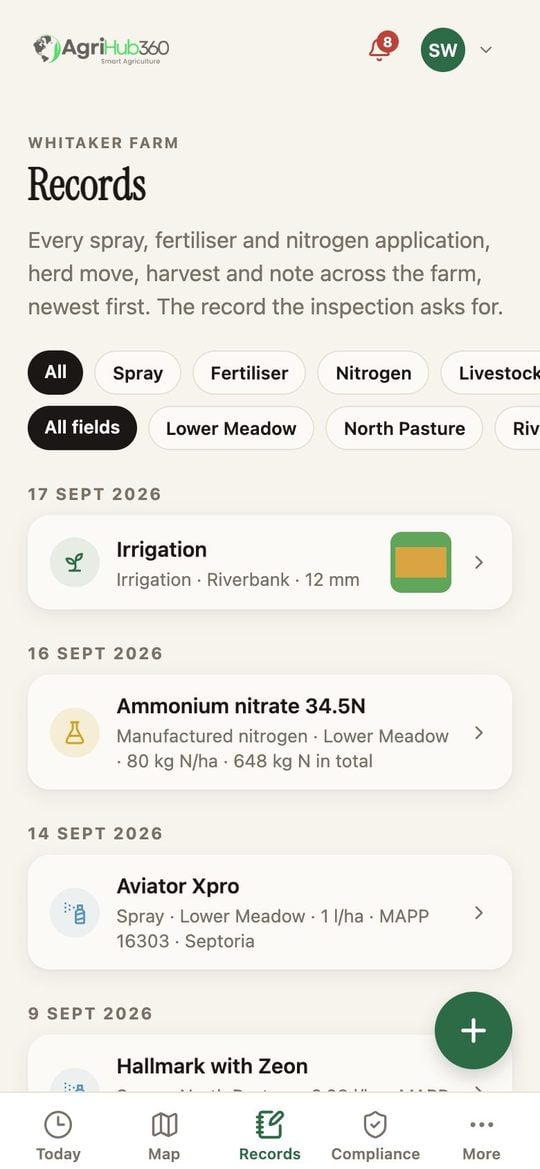
The row is on the Records tab straight away with a small queued mark. The time and the phone's point are the time and point you saved, not the time it sends.
The queue sends by itself. A record that could not be sent keeps its mark and tells you why when you tap it.
 ## What You See Next
The evidence grade uses the time you saved, so a record written in the field with no signal still reads **Evidence: in the field**.
## If It Does Not
| You see | It means | Do |
| ---------------------------- | ------------------------------------------------------------- | -------------------------- |
| A row stays queued for a day | The phone has not been online, or the app has not been opened | Open the app on wifi |
| The row says it was refused | The field or the product no longer exists | Tap it, fix it, save again |
Related: [Add a Photo to a Record](/how-do-i/records/add-a-photo-to-a-record), [Offline Action Queue](/features/account-and-data/offline-action-queue).
## What You See Next
The evidence grade uses the time you saved, so a record written in the field with no signal still reads **Evidence: in the field**.
## If It Does Not
| You see | It means | Do |
| ---------------------------- | ------------------------------------------------------------- | -------------------------- |
| A row stays queued for a day | The phone has not been online, or the app has not been opened | Open the app on wifi |
| The row says it was refused | The field or the product no longer exists | Tap it, fix it, save again |
Related: [Add a Photo to a Record](/how-do-i/records/add-a-photo-to-a-record), [Offline Action Queue](/features/account-and-data/offline-action-queue).