> ## Documentation Index
> Fetch the complete documentation index at: https://docs.agrihub360.com/llms.txt
> Use this file to discover all available pages before exploring further.
# Turn On Two-factor
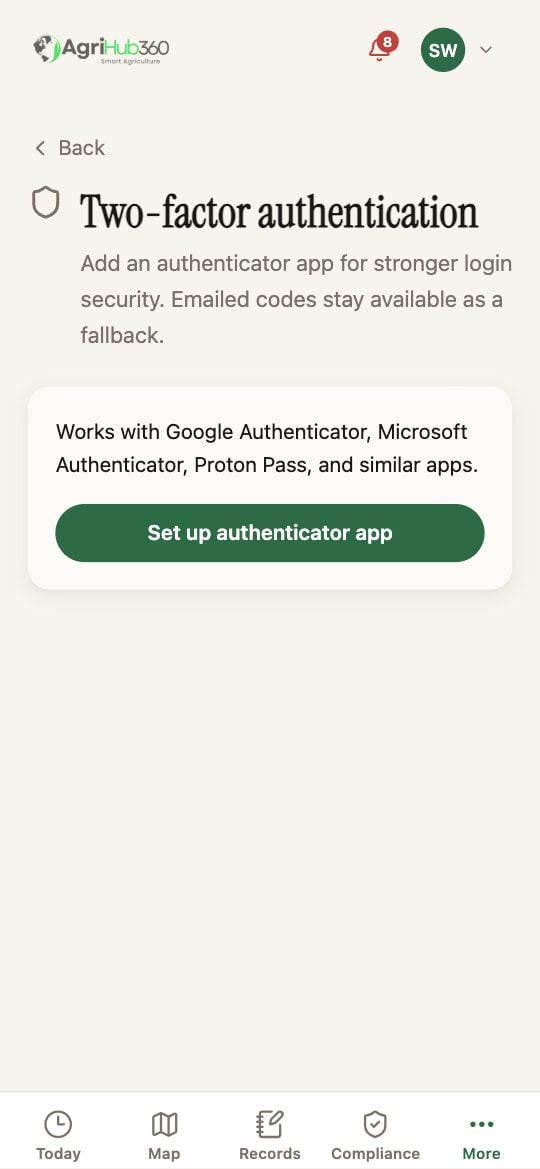
> Add an authenticator app to your sign-in. Emailed codes stay available as a fallback.
**Before you start.** An authenticator app on the phone: Google Authenticator, Microsoft Authenticator, Proton Pass or similar.
Tap **Set up authenticator app**.
Scan the QR code with the app, or type the key it shows. Enter the six-digit code the app gives. **Confirm & enable**.
You enter your password, then the code from the app. If the phone is lost, the emailed code still signs you in; turn the authenticator off and on again from this page.
 ## What You See Next
The page reads "Your authenticator app is on". **Disable authenticator** asks for a current code.
## If It Does Not
| You see | It means | Do |
| ------------------ | ----------------------------------------------------- | ----------------------------------------------- |
| Invalid code | The phone's clock is off, or the code has rolled over | Wait for the next code; check the time settings |
| No QR code appears | Setup could not start | Try again on a connection |
Related: [Two-factor Sign-in](/features/account-and-data/two-factor-sign-in).
## What You See Next
The page reads "Your authenticator app is on". **Disable authenticator** asks for a current code.
## If It Does Not
| You see | It means | Do |
| ------------------ | ----------------------------------------------------- | ----------------------------------------------- |
| Invalid code | The phone's clock is off, or the code has rolled over | Wait for the next code; check the time settings |
| No QR code appears | Setup could not start | Try again on a connection |
Related: [Two-factor Sign-in](/features/account-and-data/two-factor-sign-in).