> ## Documentation Index
> Fetch the complete documentation index at: https://docs.agrihub360.com/llms.txt
> Use this file to discover all available pages before exploring further.
# Set Up the Farm
> The farm's name, nation, holding and business details. The holding numbers are printed on every document's masthead.
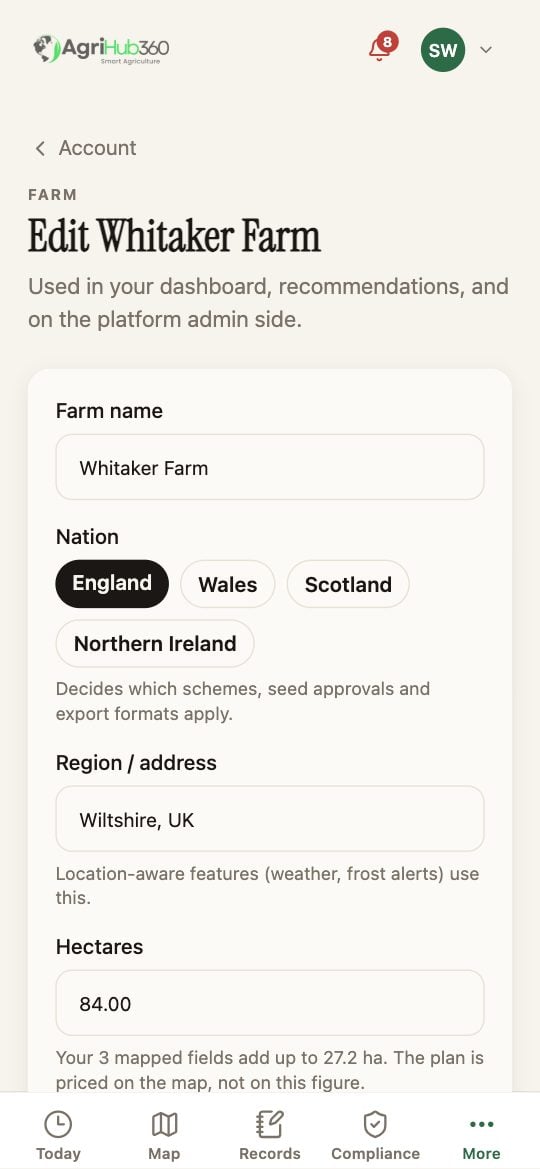
Enter the **Farm name**, then pick the **Nation**: England, Wales, Scotland or Northern Ireland. The nation decides which schemes, seed approvals and export formats apply, so set it first.
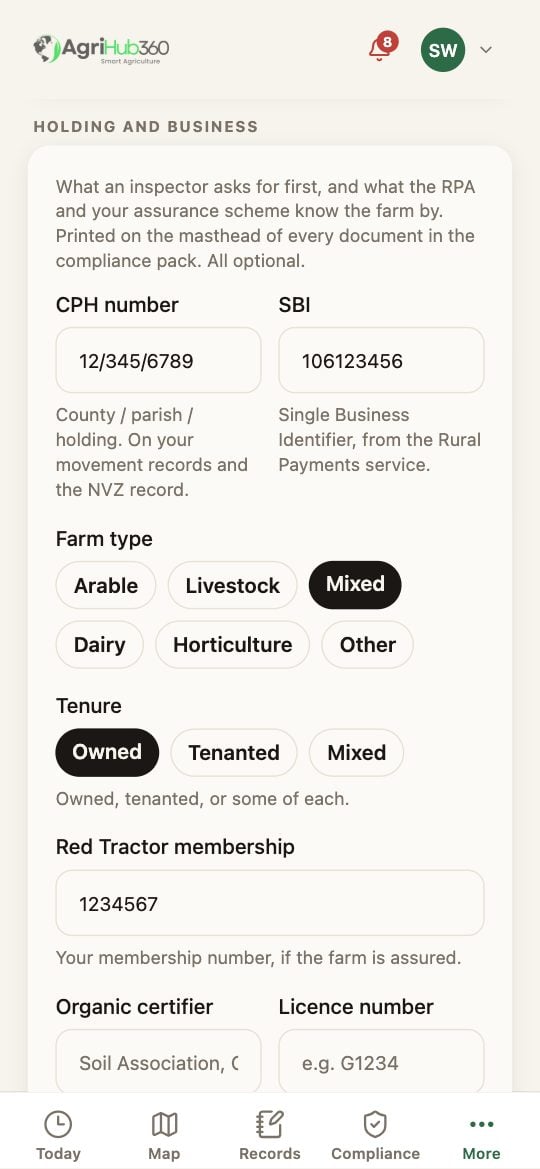
The **CPH number** is the county / parish / holding number an inspector asks for first. The **SBI** is the number the Rural Payments service knows the business by. Below those are the farm type and tenure, the Red Tractor membership and the organic licence if the farm has them. Then the VAT number, and a phone and an email for the farm.
One button saves the farm and the holding together. Hectares says what the mapped fields add up to; the plan is priced on the map, not on the typed figure.
 ## What You See Next
Every document in the compliance pack prints the CPH, the SBI, the VAT number and the memberships in its masthead. The inspection list ticks **Nation stated**.
## If It Does Not
| You see | It means | Do |
| --------------------------- | ---------------------------------------- | ------------------------------ |
| Save changes is greyed | Nothing has changed | Edit a box |
| The CPH has the wrong shape | It is county/parish/holding, 12/345/6789 | Copy it from a movement record |
| You cannot see the page | Your role is Member or Operator | Ask an Admin |
Related: [Invite the Team and Set Roles](/how-do-i/more/invite-the-team-and-set-roles), [Nation-specific Rules](/features/compliance-and-records/nation-specific-rules).
## What You See Next
Every document in the compliance pack prints the CPH, the SBI, the VAT number and the memberships in its masthead. The inspection list ticks **Nation stated**.
## If It Does Not
| You see | It means | Do |
| --------------------------- | ---------------------------------------- | ------------------------------ |
| Save changes is greyed | Nothing has changed | Edit a box |
| The CPH has the wrong shape | It is county/parish/holding, 12/345/6789 | Copy it from a movement record |
| You cannot see the page | Your role is Member or Operator | Ask an Admin |
Related: [Invite the Team and Set Roles](/how-do-i/more/invite-the-team-and-set-roles), [Nation-specific Rules](/features/compliance-and-records/nation-specific-rules).