> ## Documentation Index
> Fetch the complete documentation index at: https://docs.agrihub360.com/llms.txt
> Use this file to discover all available pages before exploring further.
# Invite an Advisor
> Your agronomist can read the farm and write recommendations without being able to edit it.
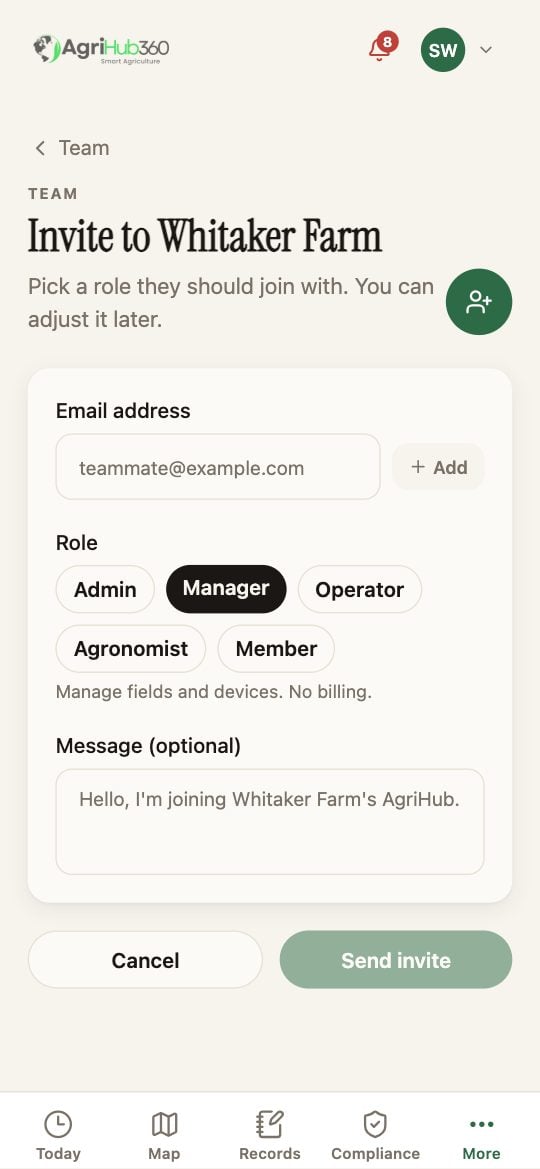
Enter their email and pick the role **Agronomist**.
They can see every field, every reading and record, and the plans. They can draft plans and recommendations, which carry their name and which you accept. They cannot draw, delete or pay for anything.
A licensed agronomist on the farm takes a quarter off Grower: the plans page shows the discounted price with their name. Your farm appears on their own Today with its legal dates.
 ## What You See Next
Plans drafted by the advisor carry the author. A crop protection question you ask the assistant is held for them to answer.
## If It Does Not
| You see | It means | Do |
| -------------------------- | --------------------------------- | ------------------------------------------------------------- |
| The discount does not show | The advisor has no active licence | It is theirs to hold; the price is the full one until they do |
| They need to edit a field | Agronomist cannot | Give them Manager instead, or do the edit yourself |
Related: [Invite the Team and Set Roles](/how-do-i/more/invite-the-team-and-set-roles), [Agronomist Access](/features/farm-management/agronomist-access), [For Advisors](/how-do-i/advisors/your-today-across-client-farms).
## What You See Next
Plans drafted by the advisor carry the author. A crop protection question you ask the assistant is held for them to answer.
## If It Does Not
| You see | It means | Do |
| -------------------------- | --------------------------------- | ------------------------------------------------------------- |
| The discount does not show | The advisor has no active licence | It is theirs to hold; the price is the full one until they do |
| They need to edit a field | Agronomist cannot | Give them Manager instead, or do the edit yourself |
Related: [Invite the Team and Set Roles](/how-do-i/more/invite-the-team-and-set-roles), [Agronomist Access](/features/farm-management/agronomist-access), [For Advisors](/how-do-i/advisors/your-today-across-client-farms).