> ## Documentation Index
> Fetch the complete documentation index at: https://docs.agrihub360.com/llms.txt
> Use this file to discover all available pages before exploring further.
# Place a Probe on the Field
> Put the pin where the probe stands. The ring around it shows the ground the reading speaks for.
**Before you start.** The sensor is claimed and on a field. [Claim the Sensor](/how-do-i/sensors/claim-the-sensor) comes first.
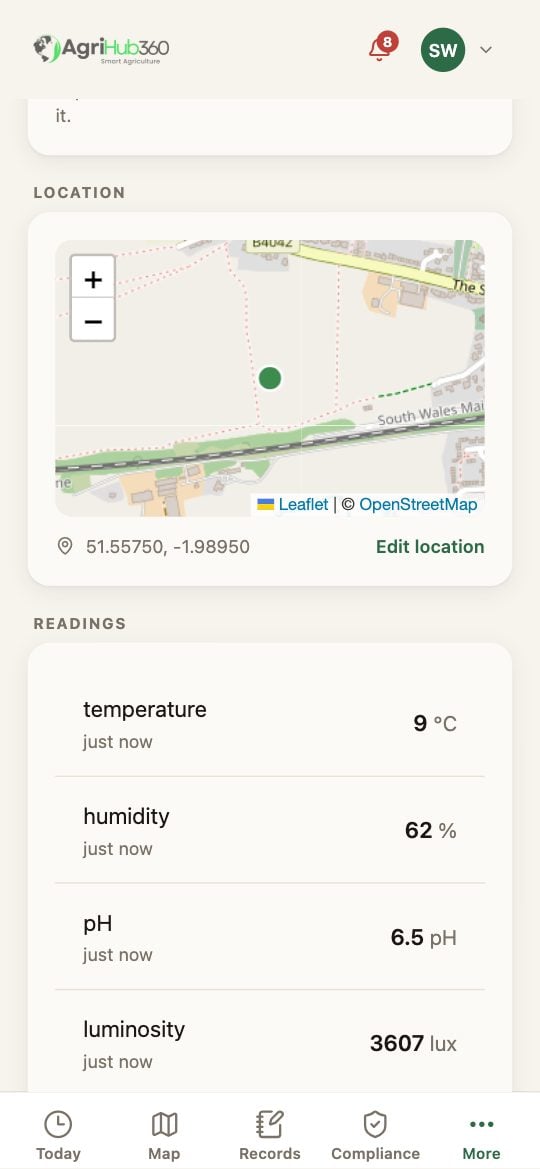
On the Sensors tab, open the device. Under **Field**, the map shows where the app thinks it is. A probe that has never been placed sits at the field's centre.
**Edit location** opens the picker on the field. Drag the pin to where the probe is in the ground, or **Use my location** while standing beside it; the accuracy in metres is shown.
The dashed ring around the pin is 30 m across, which is the ground the reading speaks for. Tap **Confirm the point**.
 ## What You See Next
The reading is drawn at the pin on the Map and in the record. The siting checks measure a sensor near water from the point; the zones know which zone the probe is in. A second probe goes where the first ring does not reach.
## If It Does Not
| You see | It means | Do |
| ---------------------------- | ---------------------------- | ---------------------------------------------------- |
| Use my location is greyed | Location is off for the app | Allow it in the phone's settings, or drag the pin |
| The accuracy reads 40 m | The phone has a poor fix | Wait for it to settle, or drag the pin by eye |
| The pin is outside the field | The probe is on the headland | That is allowed; the ring still shows what it covers |
Related: [Claim the Sensor](/how-do-i/sensors/claim-the-sensor), [Live Soil Readings](/features/field-monitoring/live-soil-readings).
## What You See Next
The reading is drawn at the pin on the Map and in the record. The siting checks measure a sensor near water from the point; the zones know which zone the probe is in. A second probe goes where the first ring does not reach.
## If It Does Not
| You see | It means | Do |
| ---------------------------- | ---------------------------- | ---------------------------------------------------- |
| Use my location is greyed | Location is off for the app | Allow it in the phone's settings, or drag the pin |
| The accuracy reads 40 m | The phone has a poor fix | Wait for it to settle, or drag the pin by eye |
| The pin is outside the field | The probe is on the headland | That is allowed; the ring still shows what it covers |
Related: [Claim the Sensor](/how-do-i/sensors/claim-the-sensor), [Live Soil Readings](/features/field-monitoring/live-soil-readings).